Google has started rolling out the Android 16 stable update for Pixel phones. The release brings smarter notifications, better hearing aid support, stronger security features, and major productivity upgrades for tablets.
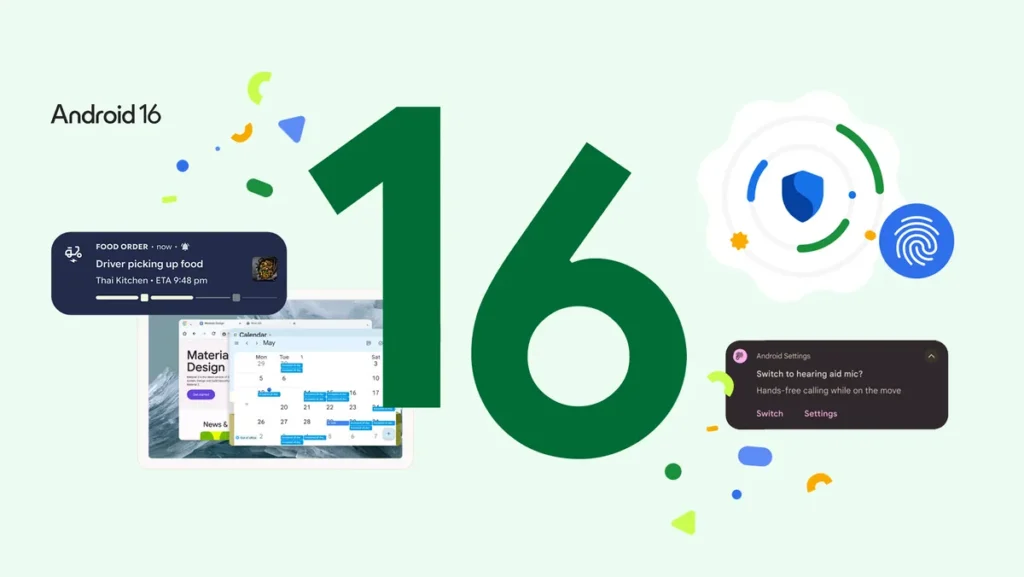
Google has officially started rolling out the stable version of Android 16 to eligible Pixel smartphones, following several months of beta testing. The new update brings meaningful improvements across notifications, accessibility, security, and productivity. Pixel users can now download the update OTA on supported devices.
What’s New in Android 16?
Smarter Notifications with Live Updates
One of the notable additions in Android 16 is support for “live updates” in notifications. Starting with ride-share and food delivery apps, this feature lets users receive real-time information directly in the notification shade—eliminating the need to open the app. Google is working with partners including Samsung, OnePlus, and OPPO to expand this feature throughout the Android ecosystem. Android 16 will also automatically group notifications from the same app to reduce clutter.
Also Read: Google Gemini Rolls Out Special Feature to Automate Routine Tasks for Users
Better Calling Experience for Hearing Device Users
Android 16 addresses a common challenge for users of hearing aids. The update now allows switching to the phone’s built-in microphone during calls in noisy environments, offering more control over call quality. Native support for managing hearing device settings—such as adjusting volume—is also integrated directly into the Android system.
Stronger Security with Advanced Protection
The update introduces “Advanced Protection,” Google’s most robust mobile security offering to date. It’s designed to defend against malicious apps, phishing links, scam calls, and unsafe websites, offering users a deeper layer of protection without compromising ease of use.
Productivity Boost on Tablets
For large-screen devices, Android 16 is adding new features aimed at improving productivity. In collaboration with Samsung, Google is introducing desktop windowing, a new mode that lets users resize, move, and open multiple app windows on a single screen—similar to a desktop computer. This will be rolled out later in the year through a quarterly platform release (QPR).
Also Read: Apple Unveils Liquid Glass Software Design Across iOS 26, macOS Tahoe, and More
Additional productivity features coming later include support for custom keyboard shortcuts, taskbar overflow, and the ability to use tablets or phones with external displays for a more expansive desktop-like experience. These features are already undergoing developer testing.
Other Notable Features
Android 16 also includes HDR screenshot support, adaptive refresh rate adjustments, and improved identity verification tools.
Devices Eligible for Android 16 Update
The stable version of Android 16 is now available via OTA update for the following Pixel devices:
- Pixel 6 Series: Pixel 6, 6 Pro, and 6a
- Pixel 7 Series: Pixel 7, 7 Pro, and 7a
- Pixel 8 Series: Pixel 8, 8 Pro, and 8a
- Pixel 9 Series: Pixel 9, 9 Pro, Pixel 9 Pro Fold, and 9a
- Pixel Fold
- Pixel Tablet
Users currently enrolled in the beta program will automatically receive the next Android 16 QPR1 beta update, which includes features slated for future release.